Connect your IBKR account and unlock a complete options analytics dashboard — income tracking, position management, and expiry planning in one place.
Interactive Brokers is a powerful platform for executing options trades, but its built-in analytics weren't designed for systematic income sellers. Days to Expiry fills the gap. Connect via Flex Query and get a dedicated options portfolio tracker that shows premium collected, annualized ROI, coverage status, and roll alerts — all updated automatically from your live IBKR data.
Tap to view full size
Dense Activity Statements — Raw trade data with no income summary, premium-collected view, or roll history
No Income Dashboard — Portfolio Analyst shows total P&L but has no concept of premium earned over time or per strategy
CSV Export Friction — Every analysis requires a manual export; your data is always a day behind
No Expiry Calendar — IBKR shows positions but doesn't organise them by DTE or flag rolls approaching your exit rules
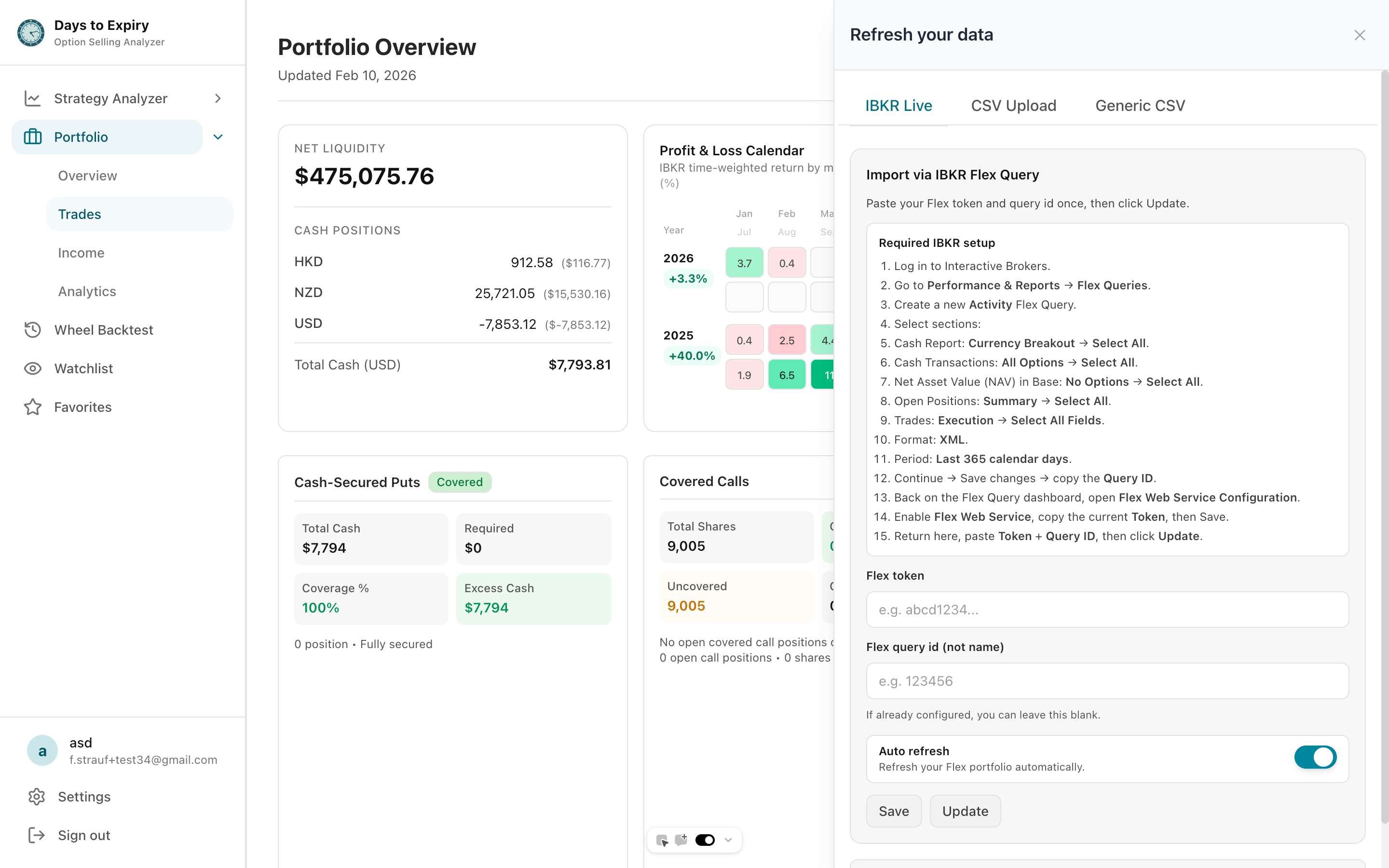
Set up once; trades appear automatically — no exports, no uploads, no manual entry ever again.
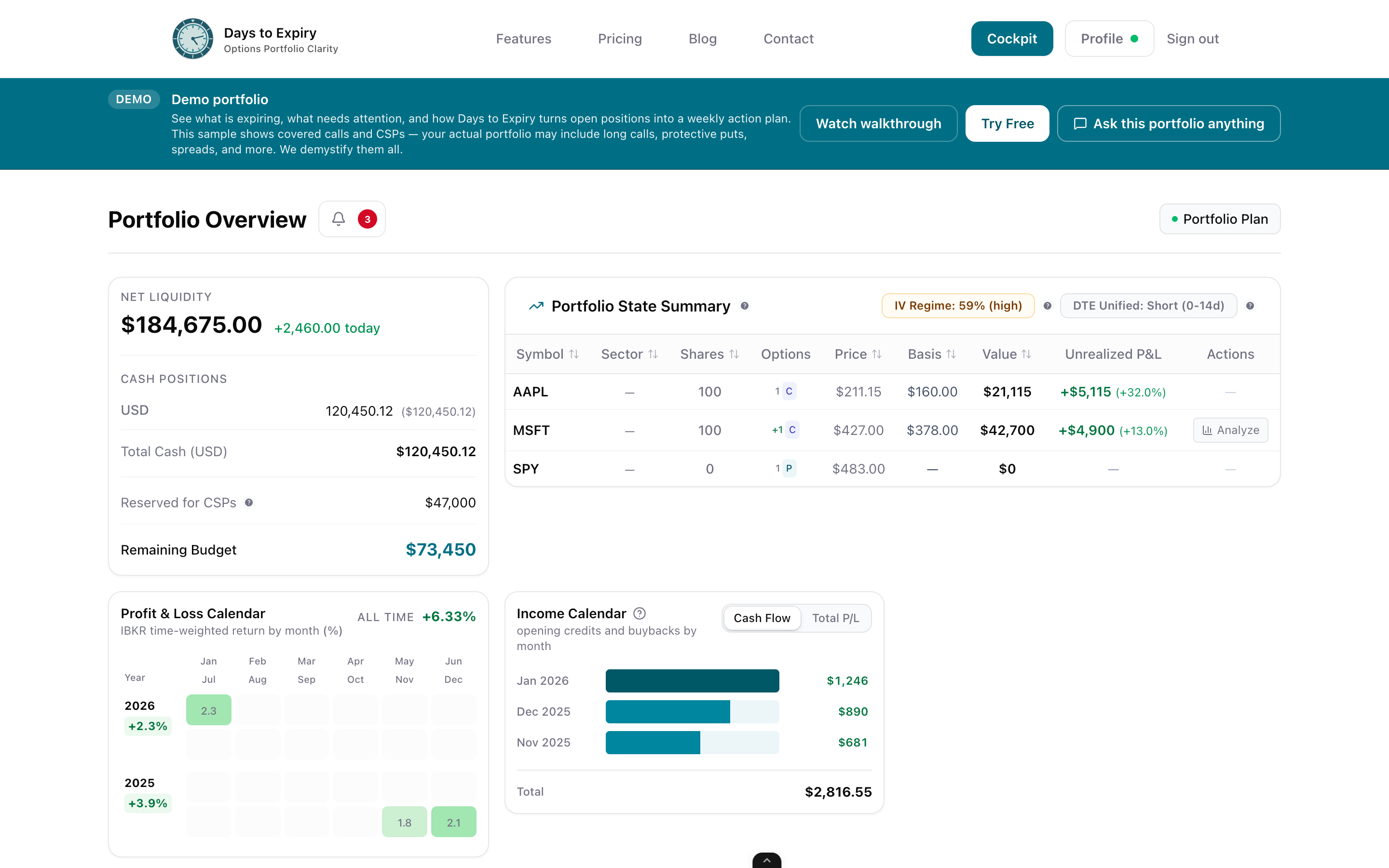
Total premium received, net P&L after buybacks, annualized yield, and win rate by strategy and ticker.
See every contract organised by days to expiry with automatic alerts when positions hit your exit rules.
Know which holdings are fully covered, partially hedged, or naked — complete risk visibility at a glance.
Tap to view full size
Create a Flex Query in IBKR Account Management. Select trades, positions, and account summary. Copy your token and query ID.
Paste your token and query ID into Days to Expiry. The system imports your complete options trade history within minutes.
See your income dashboard, position analytics, expiry calendar, and coverage status — all synced from your live IBKR data.
Setup Time
< 5 min
Sync Frequency
Daily auto
Data Imported
All history
Manual Entry
Zero
Track every dollar of premium collected from your IBKR account
Full portfolio view with expiry calendar and position detail
Alternative integration guide and feature overview
Free to start — no credit card required
Everything you need to know about getting started