Keep your broker. Replace the analytics gap. Days to Expiry syncs with your IBKR account to give you income dashboards, trade history, and weekly plans that TastyTrade was never designed to provide.
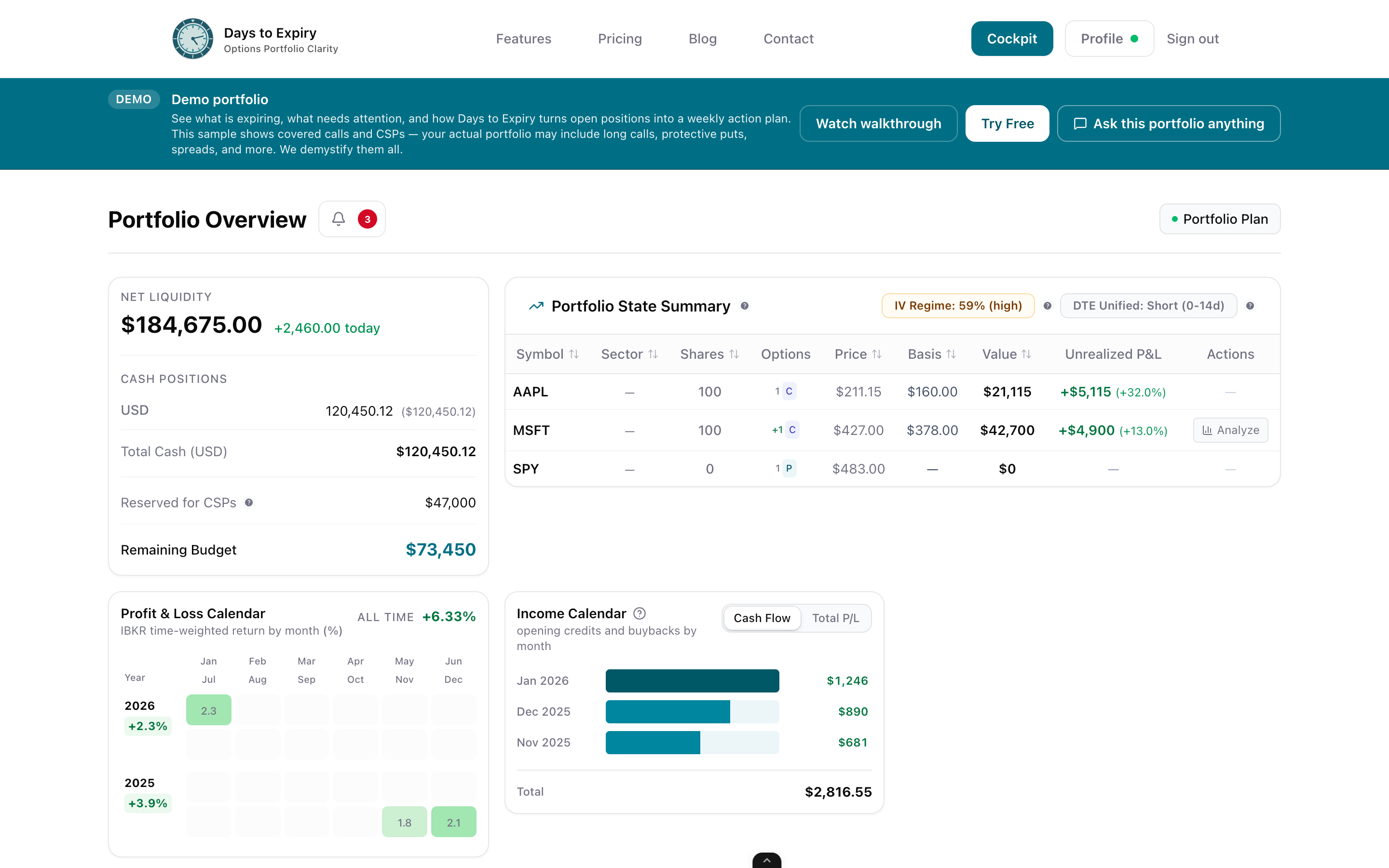
TastyTrade is a great broker for executing options trades — but once the trade is on, you're mostly on your own. No structured income tracking. No view of your monthly premium collected over time. No weekly summary of what to roll, close, or leave alone. You end up building spreadsheets, exporting CSVs, and spending Sunday evenings doing portfolio admin instead of planning your next week. Days to Expiry is the analytics layer options income traders have been building spreadsheets to replace. Connect your IBKR account, and within minutes you have a live dashboard showing your collected premium, position health, expiry schedule, and a structured weekly trade plan — automatically.
Tap to view full size
No Income Tracking — TastyTrade shows P&L but has no concept of monthly premium collected or cumulative income over time
No Weekly Trade Plan — You build your own action list every Sunday from scratch, position by position
Manual CSV Exports — Analysing performance in any external tool means exporting data by hand each time
No Roll Intelligence — No structured view of which contracts need rolling this week based on your rules
No CSV exports or manual logging; IBKR history syncs directly and continuously
Monthly premium collected, cumulative income, win rate per strategy, and annualised ROI
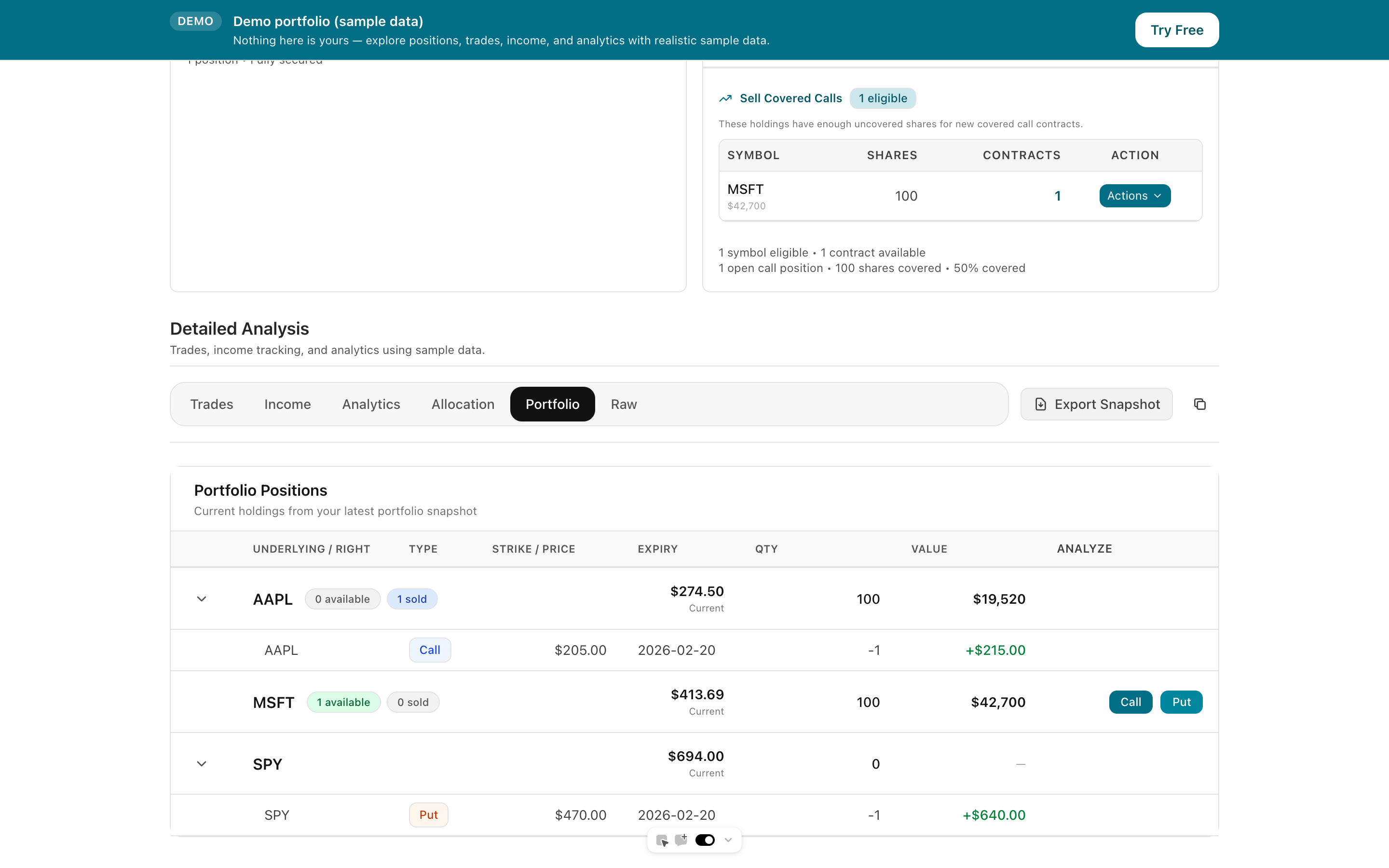
Live view of all open positions sorted by DTE with colour-coded threshold alerts
Auto-generated each week: what to roll, what to close, where to open new trades
Tap to view full size
Days to Expiry connects directly to your Interactive Brokers account via Flex Reports. Every trade — entries, rolls, expirations, assignments — is captured automatically. Setup takes under 5 minutes.
Your full trade history is organised by strategy and underlying. See monthly premium collected, win rate, and annualised ROI — the income metrics TastyTrade's platform never surfaces clearly.
Each week Days to Expiry generates a structured action list based on your live portfolio: which positions to roll or close, where opportunity exists to open new trades, and how your exposure maps to your income targets.
Setup Time
< 5 min
Manual CSV Exports
Zero
Avg Positions Tracked
28
Weekly Plan
Auto
How the Interactive Brokers account connection works
Full income tracking features across all options strategies
How Days to Expiry compares to Born To Sell
Free to start — no credit card required
Everything you need to know about getting started