Connect your Interactive Brokers account and get a prioritised list of exactly which cash-secured puts and covered calls to sell — strikes, expiries, and position sizes — generated from your live portfolio every week.
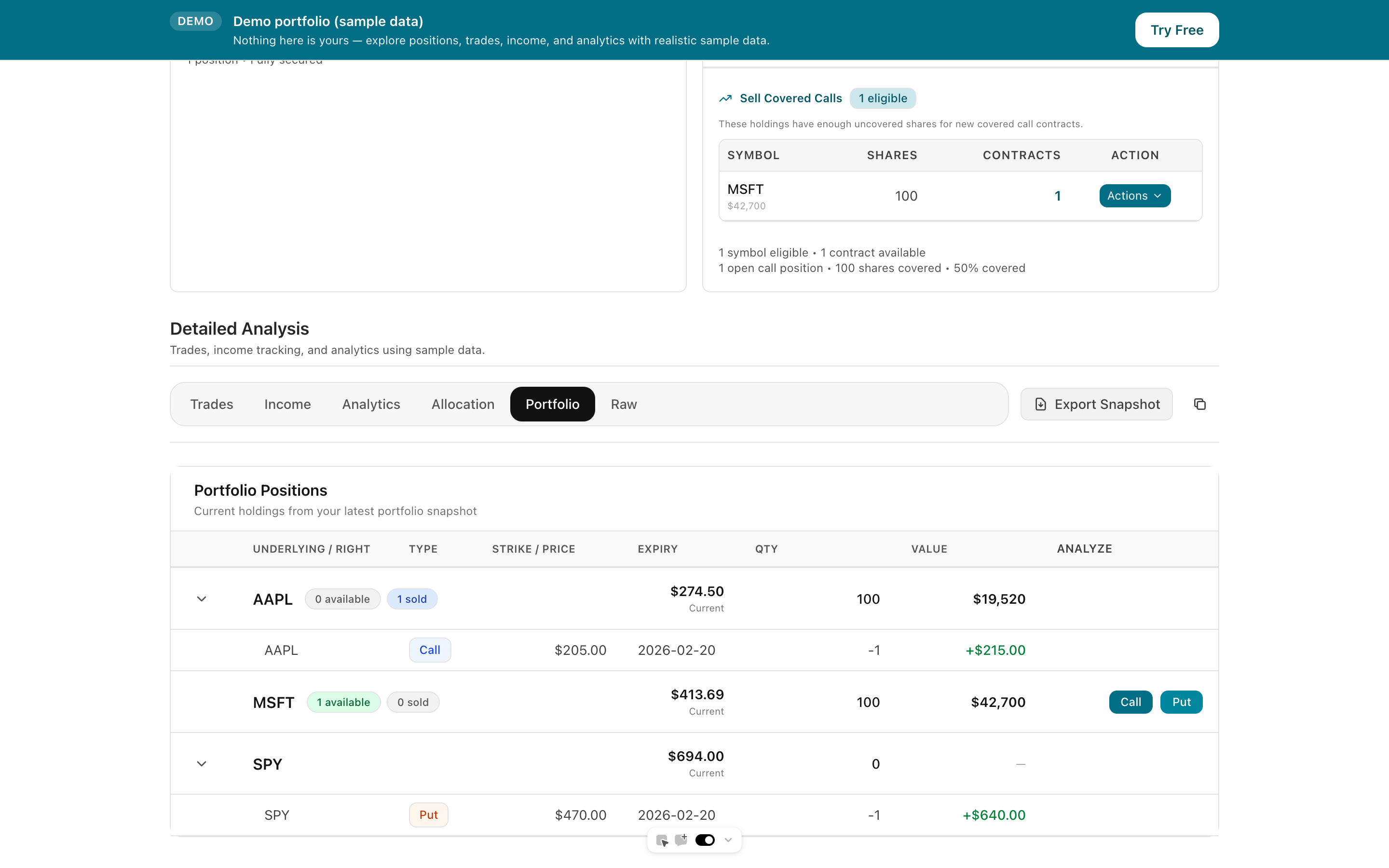
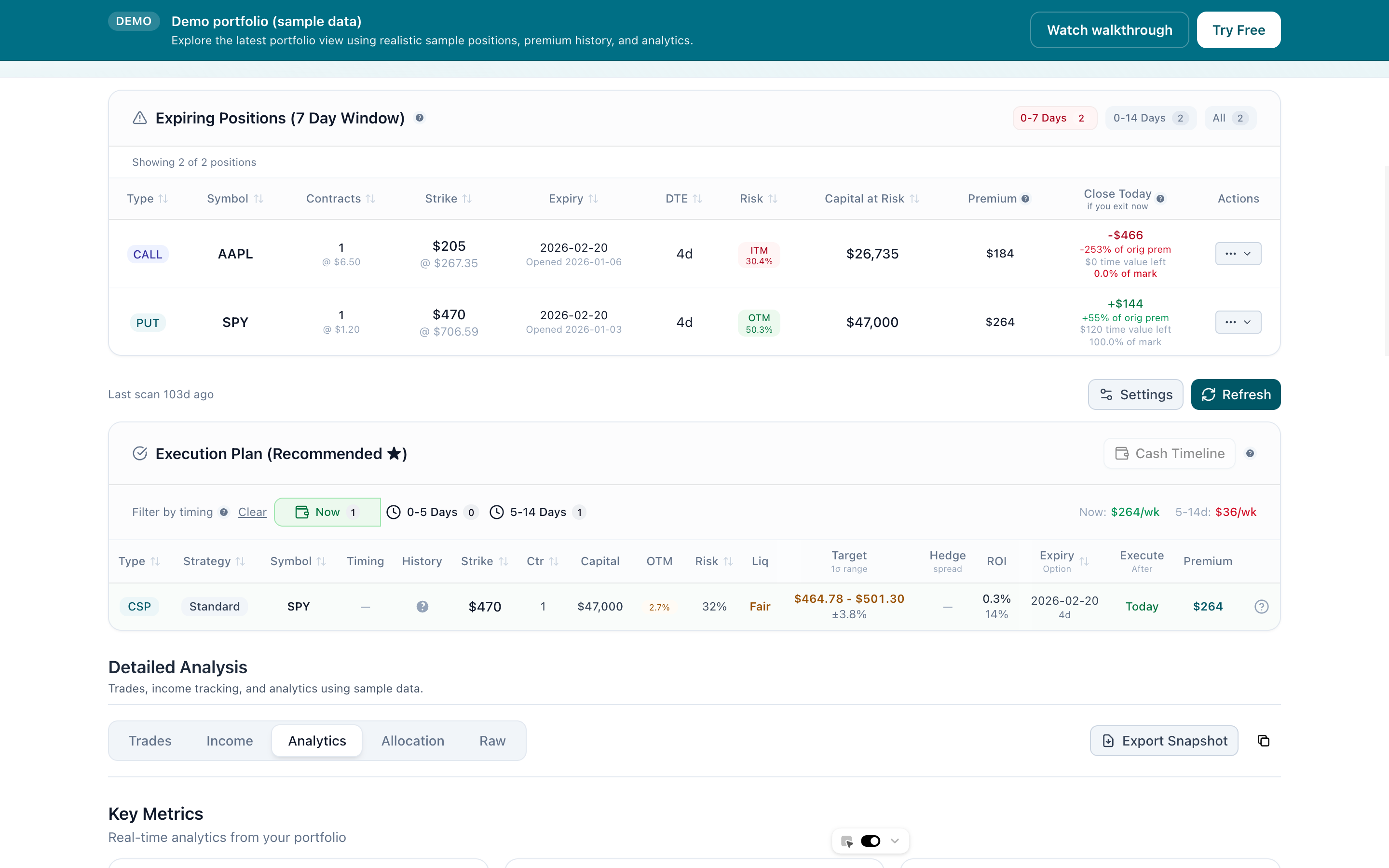
Running the wheel across 10+ positions means hours every Sunday: pulling up each ticker, checking deltas, comparing strikes, deciding what to roll, what to open, what to leave. Most wheel traders end up with a messy spreadsheet, missed rolls, and inconsistent strike selection. Days to Expiry connects directly to your IBKR portfolio and does the analysis for you. It surfaces every position that needs action this week — new CSPs to open, covered calls to initiate after assignment, contracts nearing expiry that should be rolled — with a concrete recommendation for each.
Tap to view full size
Ticker-by-Ticker Screening — Pulling up each underlying in TWS to check deltas and compare strikes every week
Missed Roll Windows — No automated alert when a contract hits your 21-DTE or 50% max-profit exit rule
Inconsistent Strike Selection — Strike choices drift week to week without a systematic process
Assignment Delays — Getting assigned and not noticing fast enough to open the covered call leg
Every open position, assignment, and expired contract reflected automatically in your dashboard.
Prioritised action list each week: new CSPs, covered call initiations, and roll candidates.
Set target delta, DTE window, max OTM%, and minimum premium; only matching trades surface.
Monitors every contract against your exit rules and flags positions needing action before it's urgent.
Tap to view full size
Link your Interactive Brokers account via the official API. Every open position, assignment, and expired contract syncs automatically — no CSV exports, no manual data entry.
Each week Days to Expiry generates a prioritised action list: which underlyings to open new CSPs on, which assigned stocks are ready for covered calls, and which contracts are approaching your roll threshold — each with strike, expiry, and expected premium.
Set your target delta, preferred DTE window (e.g. 30–45 days), max OTM percentage, and minimum premium threshold. The software uses these rules to filter every recommendation — you only see trades that fit your wheel parameters.
Days to Expiry monitors every open contract against your exit rules and surfaces roll candidates automatically. Covered-call opportunities after assignment appear immediately so you re-enter the wheel without delay.
Weekly Planning Time
~20 min
Setup Time
< 5 min
Manual Entry Required
Zero
Built For
Wheel only
Everything you need to know about getting started